On this page
Every side project eventually needs a form: a contact form, a signup form, a job application. And it's always the same slog: stand up an endpoint, wire up email delivery, add validation, then restyle the inputs so they don't look like they escaped a different app. For something that's rarely the interesting part of the product, it eats a surprising amount of time.
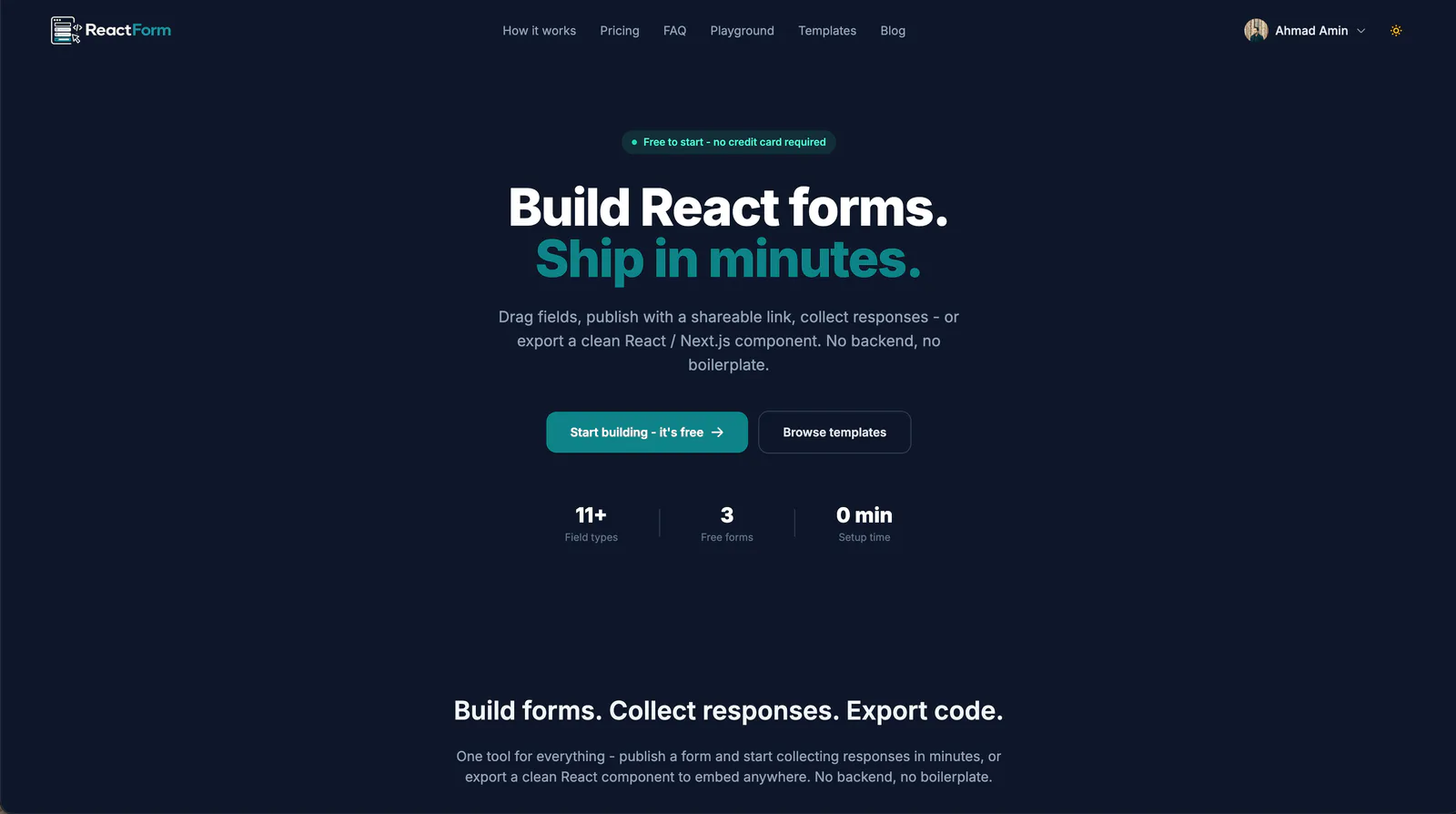
ReactForm is what I built to skip that slog: drag fields into sections, publish with a shareable link and start collecting responses immediately, or export a clean React / Next.js component and drop it straight into your own codebase. No backend either way.
Two ways to ship the same form
Most form tools force a choice up front: a hosted form with someone else's styling, or a code snippet you have to wire up yourself. ReactForm treats those as two exports of the same form instead of two products.
- Publish it and get a shareable link and an embed snippet (plus a QR code on the Pro plan); responses land in a dashboard, no server required.
- Export it as a React or Next.js component and own the markup, styling, and submit handler yourself.
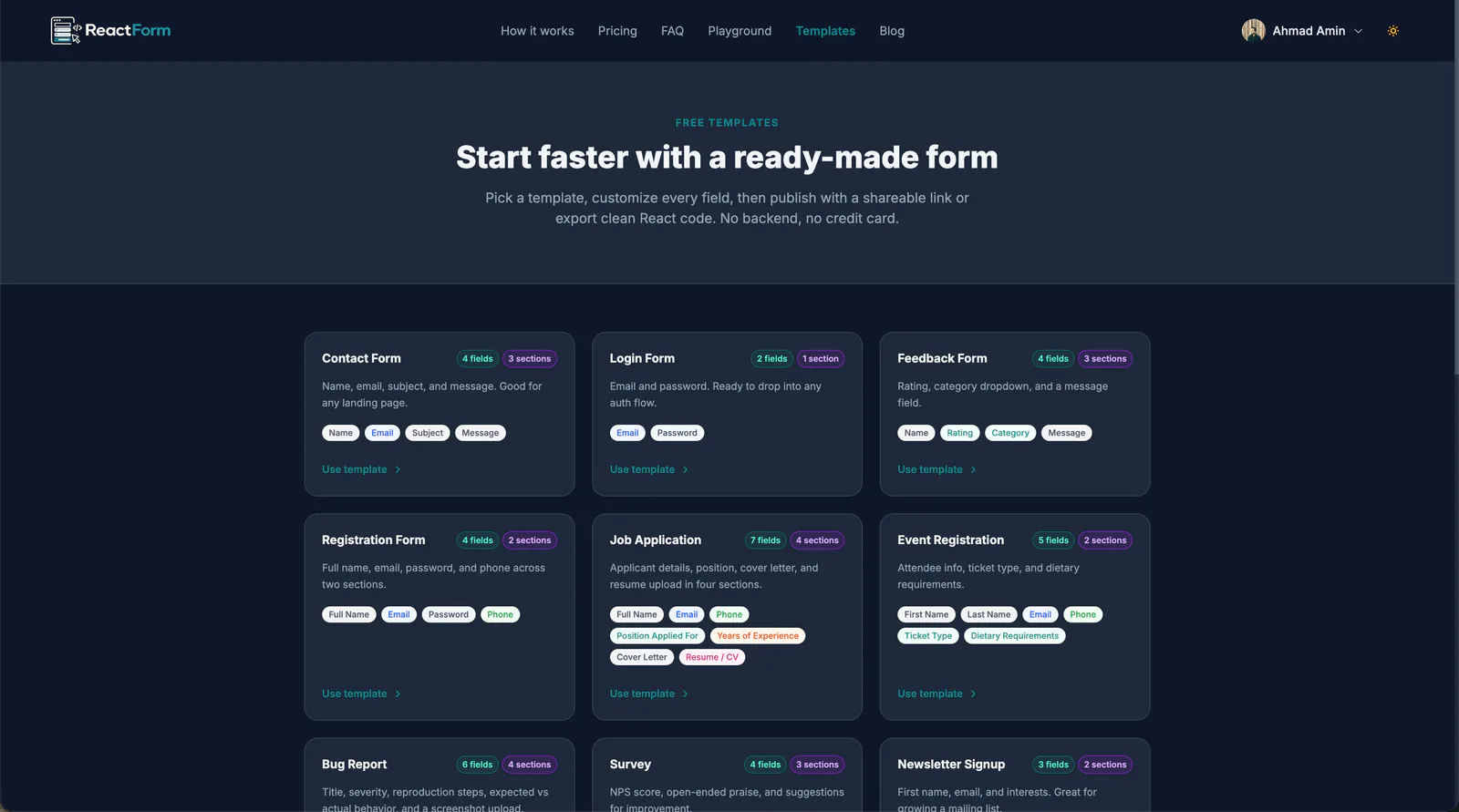
Either path starts from the same builder, with 11+ field types (text, email, phone with country codes, file upload, rating, checkbox groups, and more) across as many sections as the form needs. If you don't want to start from a blank canvas, there's a library of ready-made templates (contact forms, job applications, event registration, bug reports), each one fully editable after you drop it in.
The builder
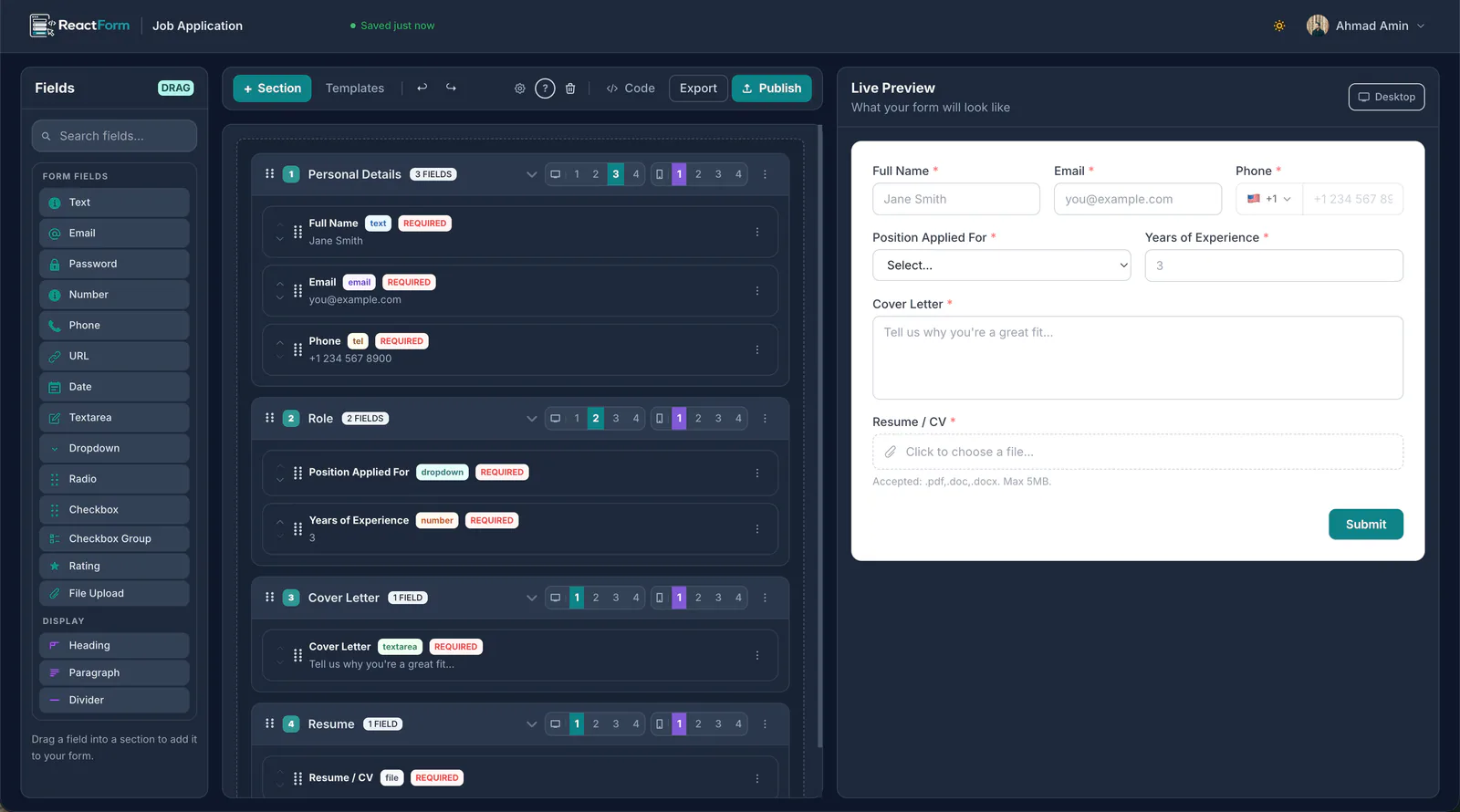
The editor is a drag-and-drop canvas on the left, a live preview on the
right. Fields get dragged into sections, sections get reordered, and every
field carries its own validation and per-breakpoint column span, so a
"Full Name" and "Email" pair can sit side by side on desktop and stack on
mobile without touching CSS. The preview updates as you edit, and Code /
Export are one click away from the same screen.
Making it match the rest of your site
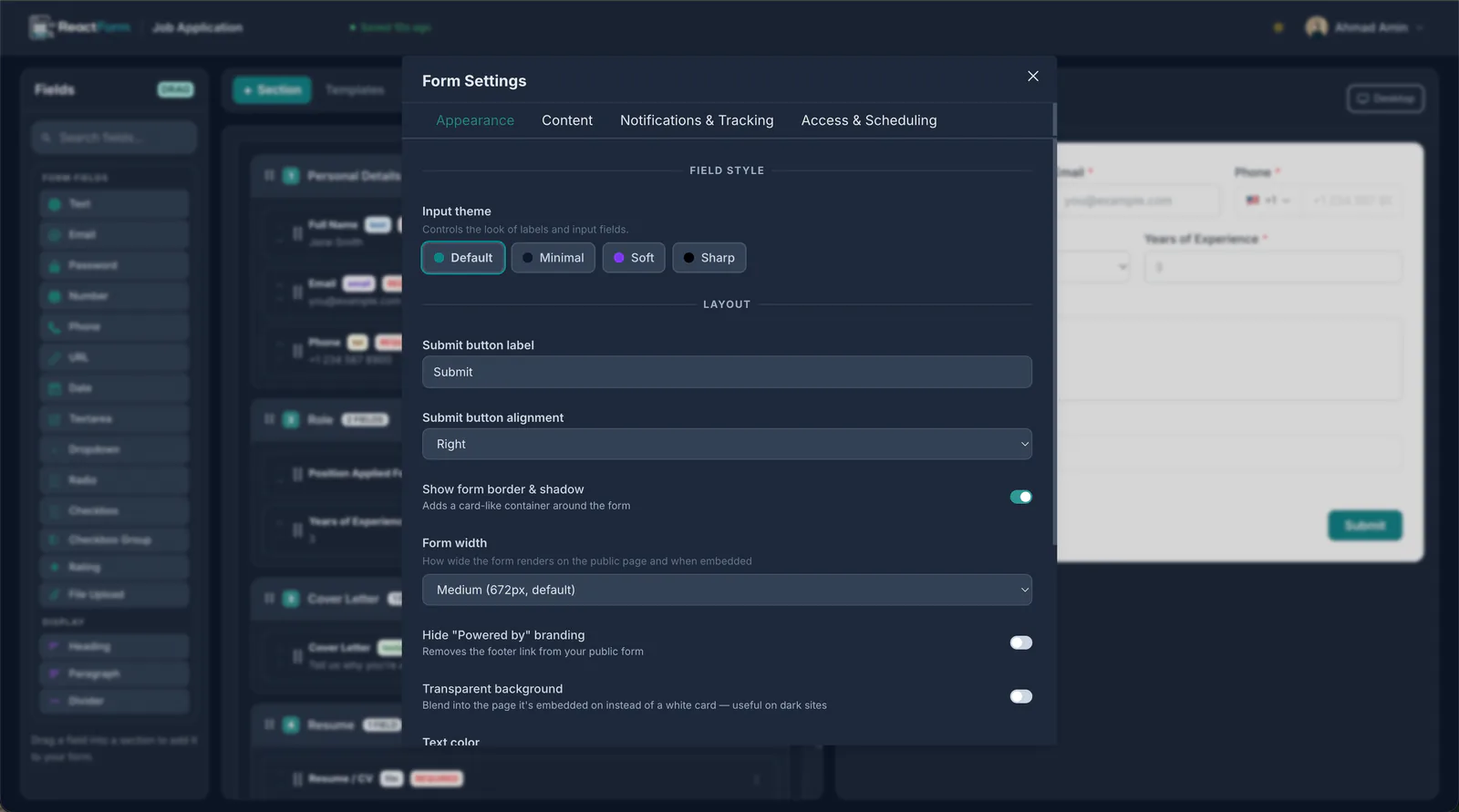
A form that looks like it was bolted on from a different product is worse than no form at all, so most of the settings panel is about disappearing into whatever site it's embedded in: input theme (Default, Minimal, Soft, Sharp), submit button label and alignment, form width, whether the form renders with its own border and shadow or blends flat into the page, a transparent-background mode for dark sites, and, on the Pro plan, the option to hide the "Powered by ReactForm" footer entirely.
Responses, without standing up a database
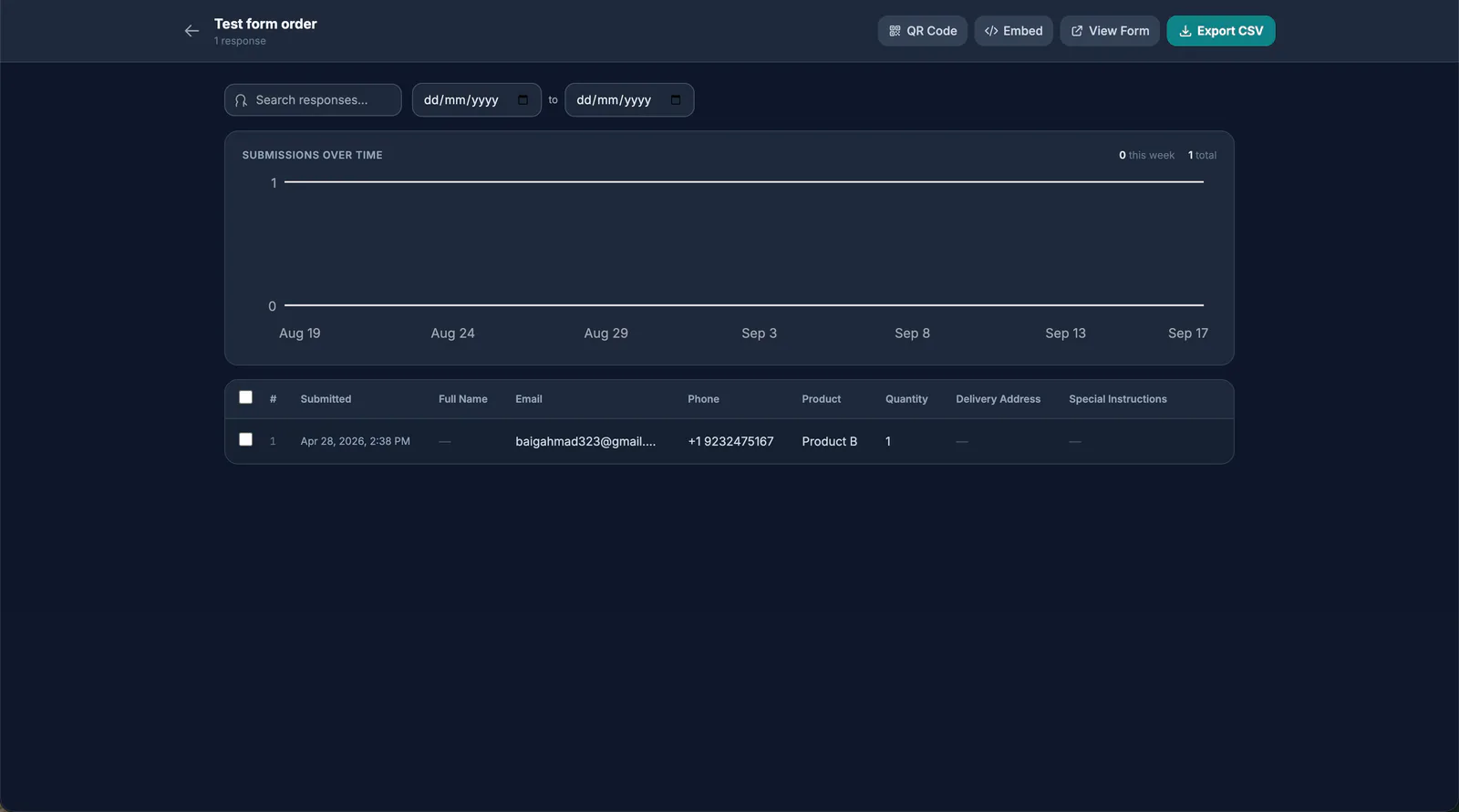
Every published form gets a response dashboard for free: a submissions- over-time chart and a searchable, date-filterable table of every response. The same screen has the embed snippet and a link to the live form, so sharing and reviewing responses don't need two different tools. The Pro plan adds one-click CSV export and a QR code for sharing.
Try it
It's free to start, no credit card required. Three forms on the free tier is enough to tell whether it fits how you work. If you're tired of rebuilding the same contact form for the fifth project in a row, ReactForm is built for exactly that moment.
Get new posts by email
Full-stack and DevOps notes, straight to your inbox when I publish. No spam, and you can unsubscribe any time.
Share this post