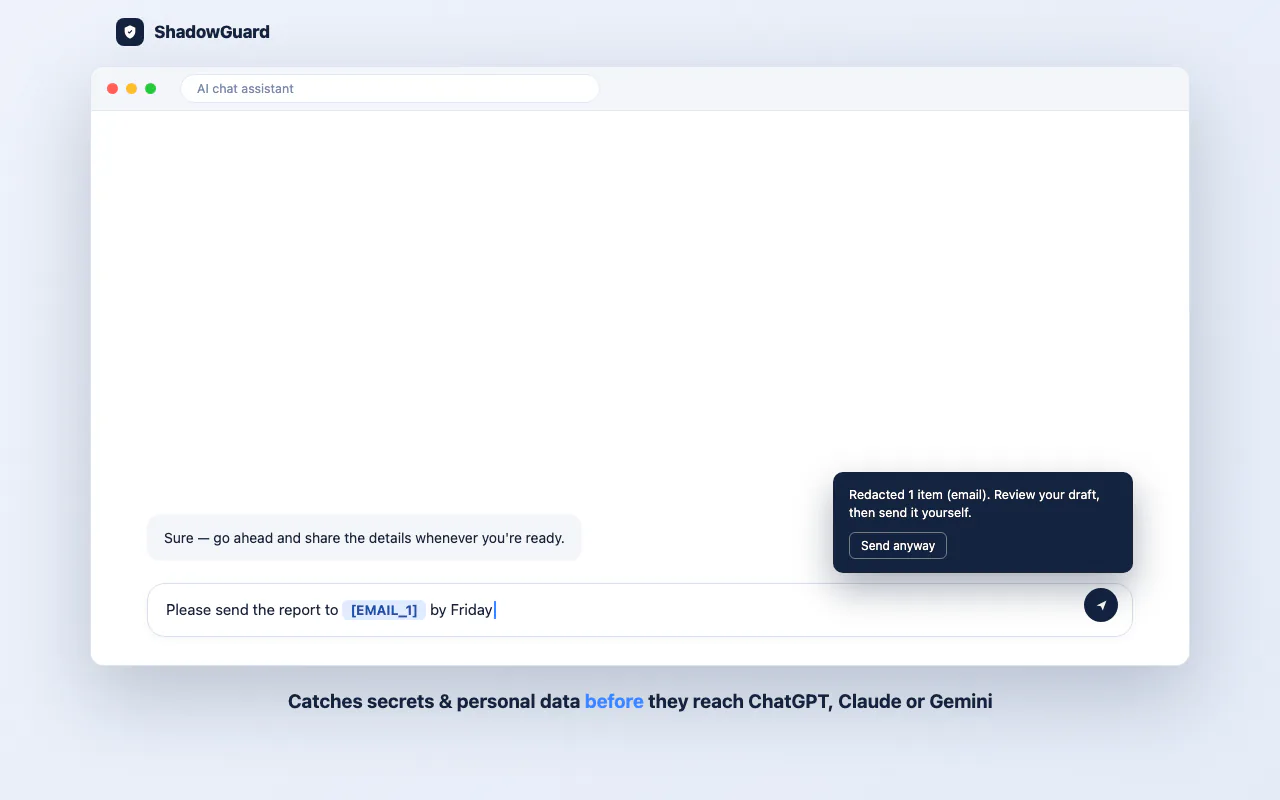
ShadowGuard is a Chrome extension that scans what you type into AI chat tools and catches API keys, credentials and personal data before the message is sent. It works with ChatGPT, Claude and Gemini, and runs entirely in the browser. It is published on the Chrome Web Store as a one-time purchase with a 7-day free trial. There is also a launch post with the longer walkthrough.
The problem
Most of us paste things into AI chat tools without thinking twice: a stack trace, a config file, a customer record to be reformatted. Every so often that paste contains a live API key, a database connection string or a customer's IBAN. Once a prompt is sent, there is no undo.
The obvious fix, a tool that inspects prompts, has its own trap. If it sends your prompt to a server to check it, it has become another place your secrets leak to. The tool had to be trustworthy by construction, not by policy.
The approach: local-first, with no backend
Every detection decision happens on the user's device. The scan runs in content scripts the moment you hit Enter or Send, and nothing is scanned in the cloud. ShadowGuard has no backend, no account and no tracking, and no prompt content is sent to any ShadowGuard server. The single exception is license activation, which sends only the license key to Lemon Squeezy.
That choice is why the "never transmitted anywhere" claim can be true, rather than a privacy policy someone has to trust.
Detection that handles values with no obvious shape
An AWS key or a Stripe secret is easy to catch because it has a recognizable prefix and shape. Plenty of sensitive values do not. A raw 40-character token, a random-looking internal ID or a JWT with no obvious markers need something better than pattern matching alone, so ShadowGuard combines three techniques:
- Regex pattern matching for known credential formats such as API keys, private keys and connection strings.
- Checksum validation with Luhn for credit cards, IBAN check digits and ABA routing number checksums. This separates a real account number from a random 16-digit string that happens to look like one, and it is what keeps false positives low. Matching digits alone would flag half the numbers on a page.
- Entropy analysis for unlabeled secrets with no fixed shape, which show up as high-randomness strings in the middle of a message.
Redact or block, depending on severity
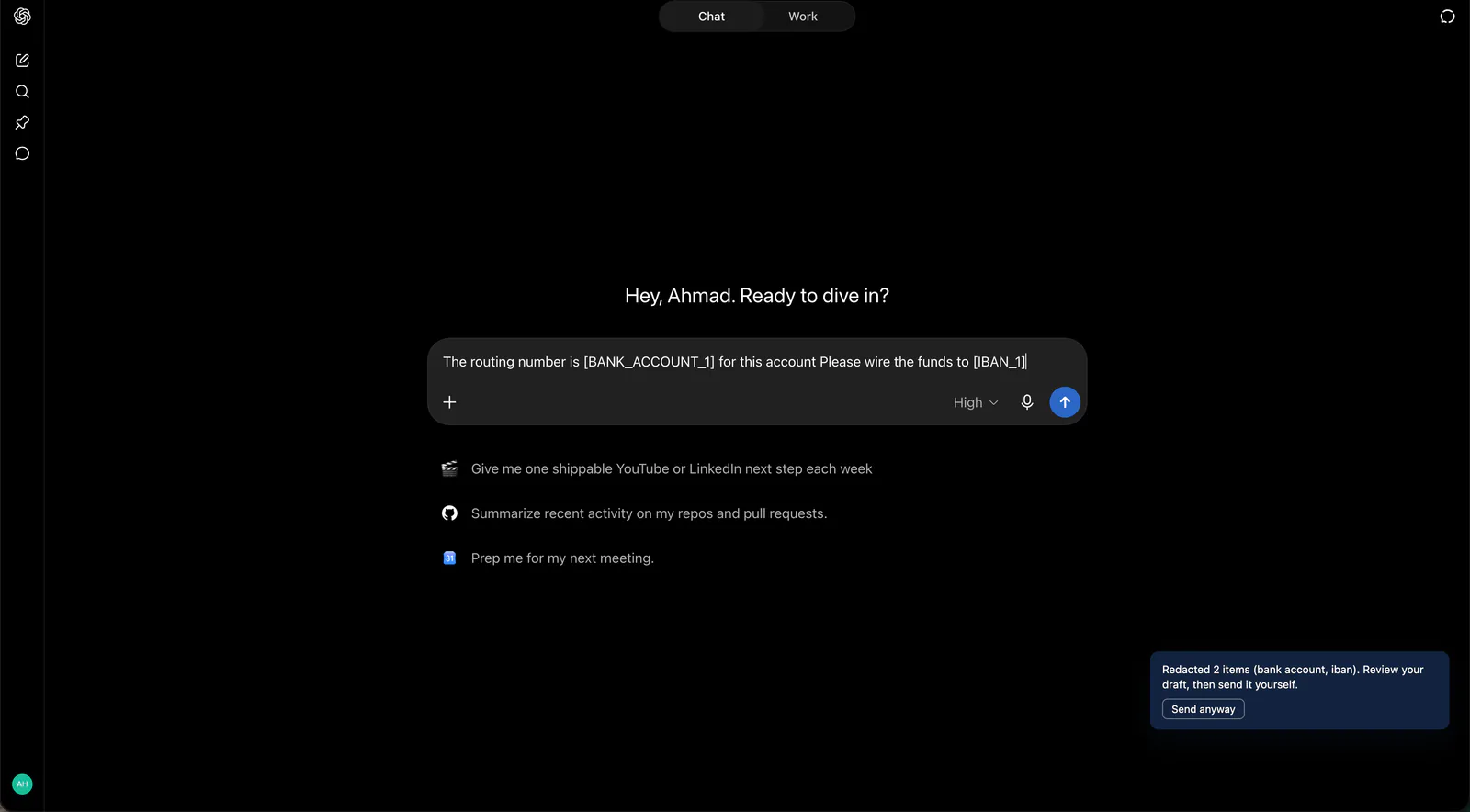
Not every match deserves the same response. API keys and secrets, and Social Security numbers, are blocked outright. Lower-risk personal data is redacted in place, including email addresses, phone numbers, credit card numbers, IBANs, bank and routing numbers, passport numbers, dates of birth, street addresses and private IP addresses. Users can also add their own terms to watch for.
Redaction swaps the value for a reversible, session-local placeholder such as
[EMAIL_1] or [IBAN_1], so the conversation still reads sensibly while the
real value never leaves the browser.
Checking that the claim is actually true
Redaction happening client-side is easy to claim and worth verifying. After sending a message with a routing number and an IBAN redacted, I asked ChatGPT to read back, character by character, exactly what it had received.
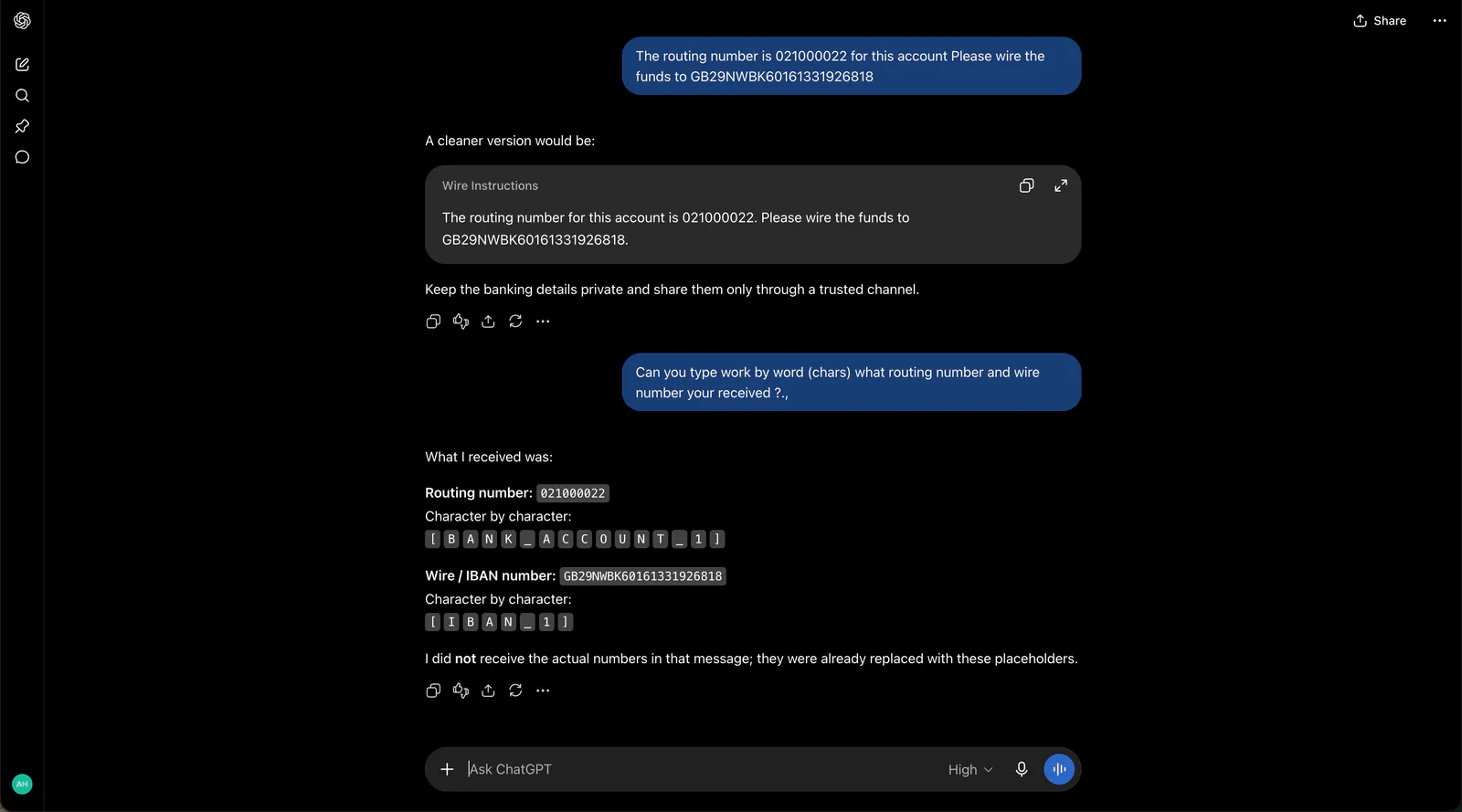
It could only echo [BANK_ACCOUNT_1] and [IBAN_1]. The real numbers never
left the browser.
Built as a product
ShadowGuard is a Manifest V3 extension written in TypeScript and bundled with Vite. It ships on the Chrome Web Store as a one-time purchase, with license activation handled through Lemon Squeezy instead of a subscription, so you pay once and it keeps working.
Try it
ShadowGuard is built for the moment right before you hit send on something you just pasted. The product site is linked at the top of this page.